English
Delegate hiring to your AI assistant.
Connect Claude, ChatGPT or another assistant to GigsUnleashed. Describe the work in a chat. Your assistant finds hand-picked talent, asks the seller's questions for you and prepares the hire. You approve it.
https://gigsunleashed.com/mcpWorks with every assistant that supports MCP connectors.


Choose your assistant to see the steps.
How it works
Connect once
Add GigsUnleashed to your assistant and sign in. You choose what it can do.
Describe the work
Say what you need, your budget and your deadline. Your assistant compares sellers, packages and reviews.
Approve and pay
Your assistant prepares the hire with your answers to the seller's questions. You review it and pay. The seller starts with a full brief.
 custom develop any software.
DevMinds
$1,500.00
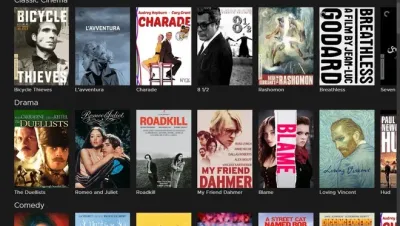 Develop a movie streaming software
DevMinds
$985.00
Connect your assistant
It takes about a minute. You sign in to GigsUnleashed once.
Open Settings, then Connectors
This works in Claude on the web and in the desktop app.
Add a custom connector
Name it GigsUnleashed and paste the server address.
Choose Connect, then sign in
Choose what Claude can do. Then ask it to find someone for your project.
Open Settings, then Apps and Connectors
Custom connectors are in the advanced settings.
Create a connector
Name it GigsUnleashed, paste the server address and choose OAuth.
Sign in to GigsUnleashed
Choose what ChatGPT can do. Then turn the connector on in a chat.
In Gemini CLI, run this command in a terminal:
gemini mcp add --transport http --scope user gigsunleashed https://gigsunleashed.com/mcp
Then type /mcp auth gigsunleashed in Gemini CLI to sign in to GigsUnleashed.
In the Gemini app, open Settings and add GigsUnleashed as a custom app with the server address, if your account offers custom apps.
Cursor opens and asks you to install GigsUnleashed. Then sign in. Cursor is open. Choose Install, then sign in to GigsUnleashed. Opening Cursor… If Cursor did not open, install it from cursor.com, or add the configuration below.
Or add this to ~/.cursor/mcp.json:
{
    "mcpServers": {
        "gigsunleashed": {
            "url": "https://gigsunleashed.com/mcp"
        }
    }
}
VS Code opens and asks you to install GigsUnleashed. Then use it in Copilot Chat in agent mode. VS Code is open. Choose Install, then sign in to GigsUnleashed when it asks. Opening VS Code… If VS Code did not open, install it from code.visualstudio.com, or add the configuration below.
Or add this to .vscode/mcp.json:
{
    "servers": {
        "gigsunleashed": {
            "type": "http",
            "url": "https://gigsunleashed.com/mcp"
        }
    }
}
Run this command in a terminal:
claude mcp add --transport http gigsunleashed https://gigsunleashed.com/mcp
Then type /mcp in Claude Code and choose GigsUnleashed to sign in.
Add the server to the MCP settings of your client:
{
    "mcpServers": {
        "gigsunleashed": {
            "type": "http",
            "url": "https://gigsunleashed.com/mcp"
        }
    }
}
The client opens our sign-in page. If it cannot, create an access key on your AI assistants page and send it as a bearer token.
No time to connect?
Give any assistant this link with your brief after q=. It reads live gigs, prices and reviews, and gives you a hire link to approve on GigsUnleashed.
https://gigsunleashed.com/ai/find?q=…
You stay in control
Your assistant works for you, with the permissions you give it.
You approve each hire
Your assistant prepares the hire. You see the price and the answers, and you pay.
Or set a budget
Let it pay from your wallet, up to a monthly limit and a limit per hire. It never sees your cards.
See every action
Each search, hire and message shows on your AI assistants page. Sellers see which messages your assistant wrote.
Disconnect any time
One click stops an assistant at once. Its key stops working on its next request.
What your assistant can do
The first four are on when you connect. You turn on the rest, one by one.
Find talent
Search gigs, products and sellers. Read packages, reviews and prices.
Follow your orders
See your orders, sales, deadlines, deliveries, purchases, notices, wallet balance and earnings.
Read and send messages
Read your inbox and write to sellers and buyers, in order chats and in your inbox. Each message shows that your assistant sent it. It can also block, unblock and report people after it asks you.
Saved messages
Read your notes and the messages that you saved in Saved. Write notes, save messages from your inbox and delete items there.
Prepare hires and purchases
Choose a package and answer the seller's questions. You approve each one before you pay.
Pay from your wallet
Pay for hires, products and custom offers from your wallet balance, up to the budget you set, and turn the renewal of a canceled membership back on. You get an email for each payment.
Act on your orders
Accept deliveries, ask for revisions, open and answer disputes, send requirements, write reviews, release offer payments and post projects.
Run your sellingsellers
Start and deliver orders, answer revisions, disputes and custom offers, create and edit gigs, pause products and bid on projects.
Withdraw your earningssellers
Ask for a withdrawal to the payout method you already saved. It can never change where the money goes.
Edit your profile
Change your headline, about text, skills, languages and away mode, and turn message emails on or off. Never your password, email or payout details.
Only you can change your password, email and payout details, on the website.
For sellers: get hired by assistants
Assistants read your packages, your questions for the buyer and your reviews. They compare them with other gigs for the person they work for.
-
01
Clear packages
An assistant matches the budget to a tier, so price each package for a clear result.
-
02
Good questions
The assistant asks your questions in the chat. You get a full brief when the order is paid.
-
03
Plain words
Write the title and the description for a person. Assistants match plain words.
-
04
Sell from a chat
Start and deliver orders, answer revisions and offers, edit gigs and check your earnings.